> For the complete documentation index, see [llms.txt](https://docs.optionomega.com/llms.txt). Markdown versions of documentation pages are available by appending `.md` to page URLs; this page is available as [Markdown](https://docs.optionomega.com/welcome/free-trial/sample-backtests.md).
# Sample Backtests
We've got two choices for you:
The first is our series of 3 YouTube videos detailing increasingly complex features in the backtester. Check out [Part 1 here](https://youtu.be/jegui1J2wbs), [Part 2 here](https://youtu.be/9w8w9zZ5PS8), and [Part 3 here](https://youtu.be/ET155PiRaWA).
Second, if you prefer written learning, check out this sample QQQ backtest below.
For this backtest, we’re going to select QQQ as the ticker to test, and we are going to backtest a double calendar. We’ll be backtesting selling a call and put at 3 DTE, and buying the same strikes at 5 DTE. These backtests simulate a more complex style trade, with the Greeks and legs of the trade going in multiple directions.
Let’s enter Friday mornings at 9:45. Reminder: To select Friday, click `Weekly => F` on the frequency\
dropdown.
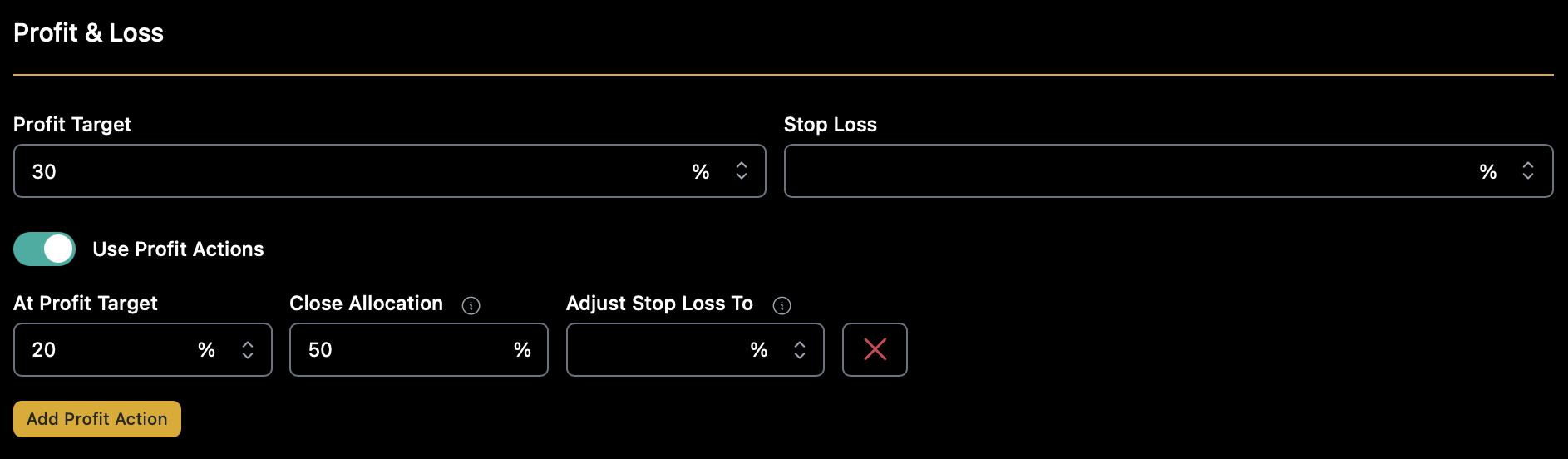
Our PT will be 30%. We’re not going to set a stop loss right now, more on that later. We’re also going to\
use a profit action — this simulates scaling out of a trade. At 20% profit, we’ll close half the position.
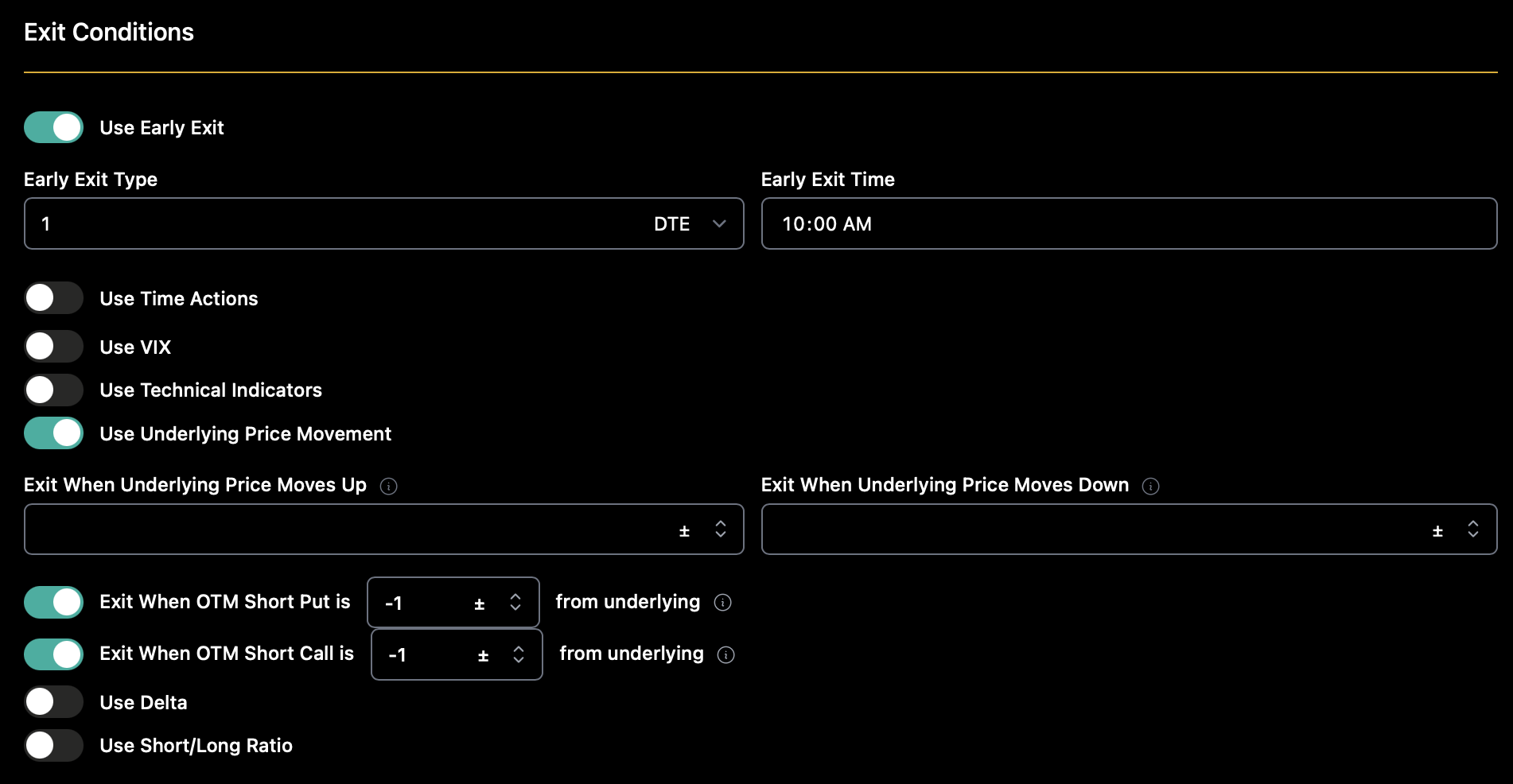
Now, let’s look at the exit conditions.
Instead of using a SL, we’ll have an early exit. Additionally, we’ll put some guide rails around movement,\
in this case exiting the trade if the short leg (either put or call) goes 1 “past” (-1 in the below fields) on\
the underlying QQQ.
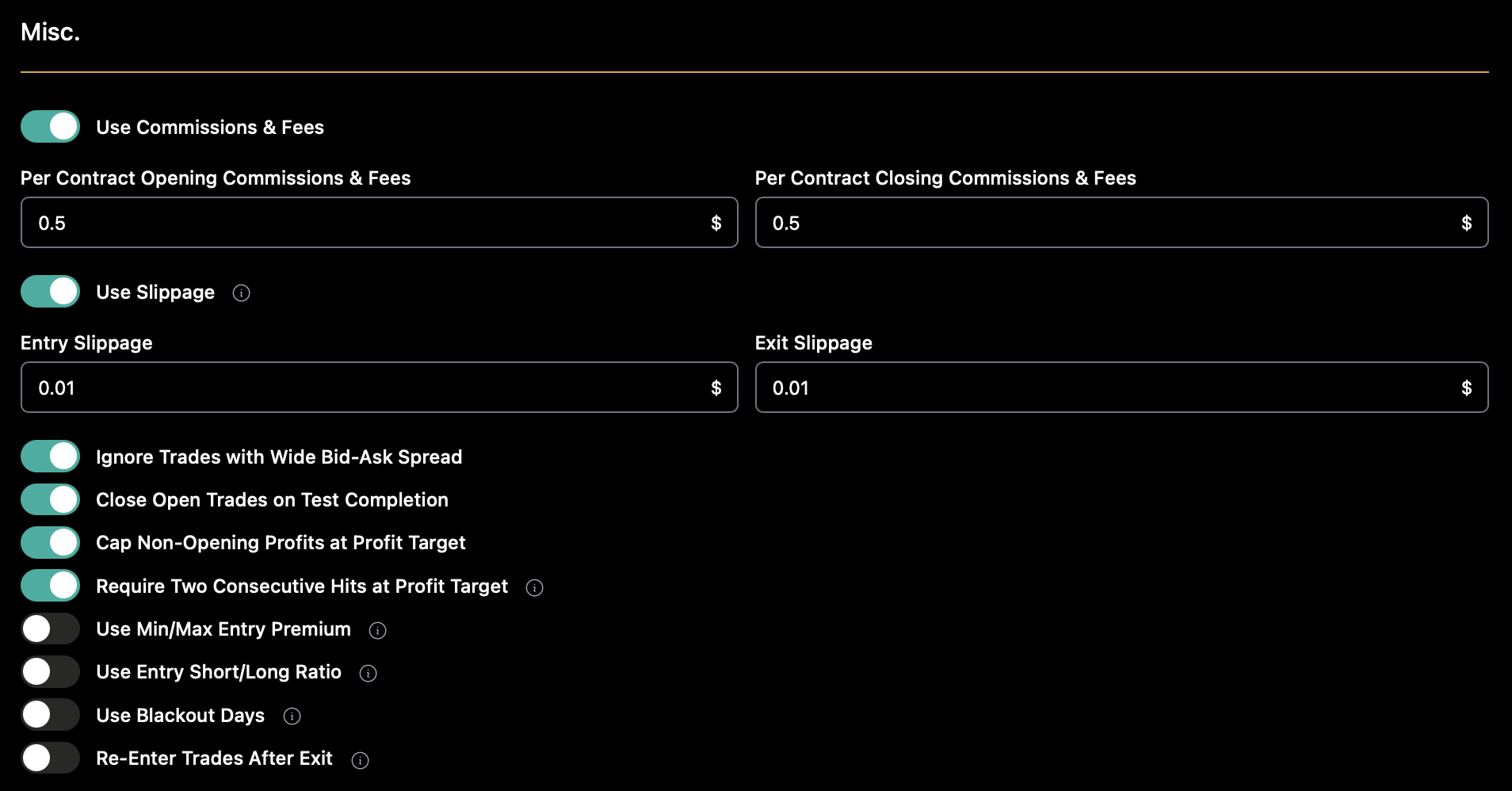
Finally, we’ll add some “standard” misc options, including slippage, commissions, and more, as shown below.
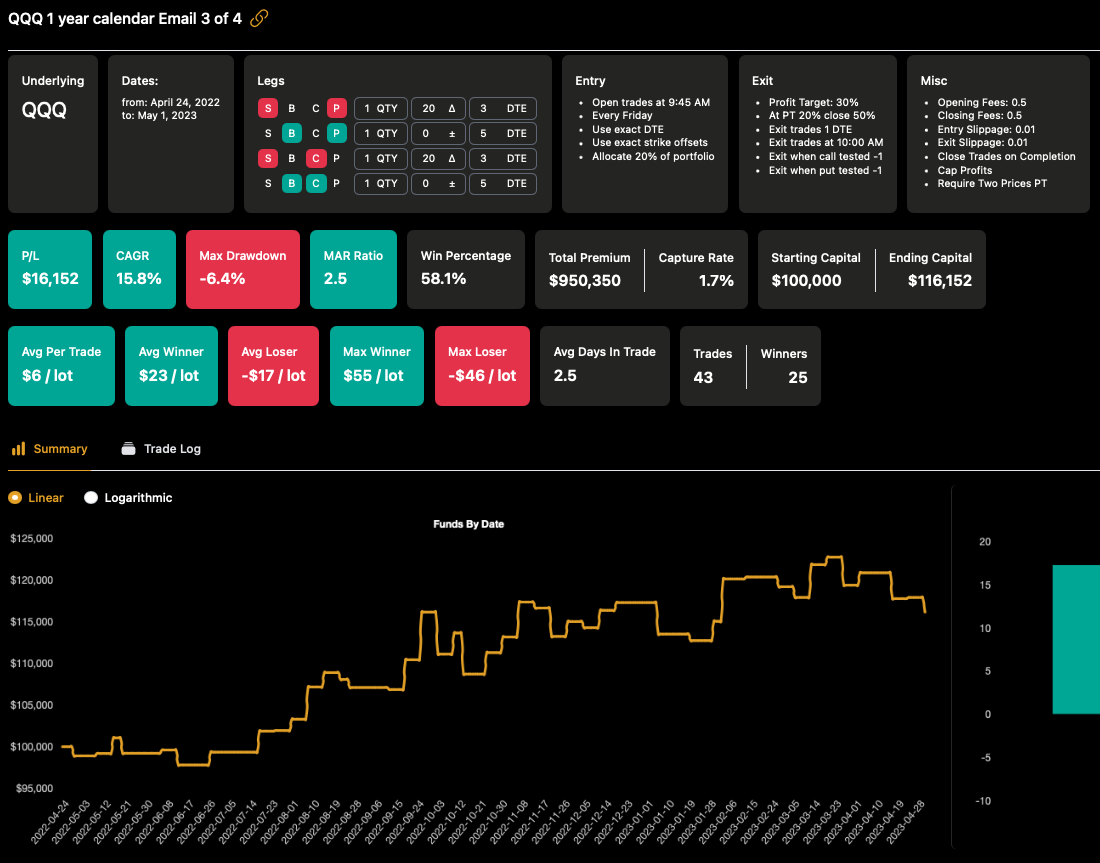
Then we’ll run the test!
Here is the result!
Now, let’s save the backtest.
Since we enabled sharing, we now have a link that other subscribers can use to view our backtest:
Once we’ve named and saved the backtest, we can now do something neat — we can run a portfolio of multiple tests!
### Let’s do a portfolio!
\
We’ll start with the backtest we just created: and put it in a portfolio with a second backtest that we have saved: \
\
Tip: If somebody shares a link like this, just click “New Backtest” and re-run the backtest yourself — you can then save or modify it however you like!
Now that we have 2 backtests saved, let’s click `Portfolio => New Portfolio`
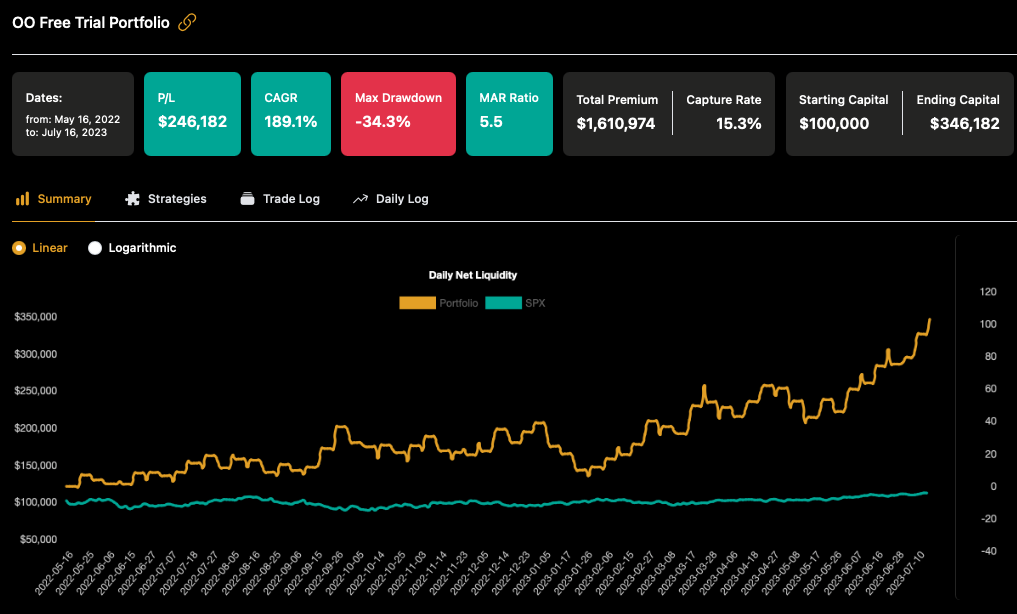
We’re going to select both tests and run them at a 20% allocation, from May 16, 2022 to July 17, 2023. Note: With a portfolio, the dates you select in the portfolio screen, as well as allocation and max contracts, will override the test conditions.
Run it and there you go — your first portfolio! It’s no problem to combine tickers, different styles, and more\
backtests in a portfolio.
In a portfolio, you can now easily review the individual strategies, along with the trade log from all the individual strategies, as well as the combined daily P/L and drawdown for all the strategies together. Finally, the portfolio can be saved and shared in the same way as the backtests.
As always, we have plenty more resources on our [YouTube channel.](http://youtube.com/optionomega)
This [one on portfolios is a good place to start](https://youtu.be/setuUdiYrFk), and here’s [one specifically on portfolio allocation](https://youtu.be/-pj-zXzuSak).