> For the complete documentation index, see [llms.txt](https://docs.optionomega.com/llms.txt). Markdown versions of documentation pages are available by appending `.md` to page URLs; this page is available as [Markdown](https://docs.optionomega.com/welcome/discord-community/scam-awareness-and-reporting.md).
# Scam Awareness & Reporting
Discord has a known problem with scammers. Learn how to identify impersonators, protect yourself, and report suspicious behavior.
You've just joined the Option Omega Discord, verified your account, and now—*you've received a friend request from someone on the OO Team!*\
Exciting, right? Not so fast...
Let’s make sure it’s legitimate before engaging.
### Quick Rule of Thumb:
Option Omega team members **do not send unsolicited DMs**. If you receive a private message or friend request that you weren't expecting, proceed with caution.
### Common Red Flags
Here are quick checks you can perform to identify potential scammers:
1. **Unexpected Friend Request**\
Don’t accept requests you weren’t expecting—especially if you haven’t interacted publicly with the person before.
2. **No Mutual Servers**\
If the user doesn’t share the Option Omega server with you, they are almost certainly an impersonator.
3. **Lookalike Names**\
Scammers often copy profile pictures and use similar-looking names. For example, the real Matt uses the handle `corranth`. A scammer might use `corranth.` or `corranth8` to trick you. These differences can be easy to miss. Remember, a Discord display name is not the same as a username.
4. **Account Age**\
Be wary of accounts created recently or with suspiciously generic profiles. If the member "joined Discord in 2023" but claims to be a long-time OO staffer from 2021, something doesn’t add up.
### Safer Ways to Engage Privately
If you want to message someone directly:
* **Click the user’s name from inside a channel**\
This guarantees you’re messaging the *real* account that made the post—not an impersonator.
* **Never respond to random DMs that appear to reference Option Omega unless you initiated the contact.**
### What to Do If You Spot a Scammer
If someone is impersonating a member of the team:
1. **Do not engage.**
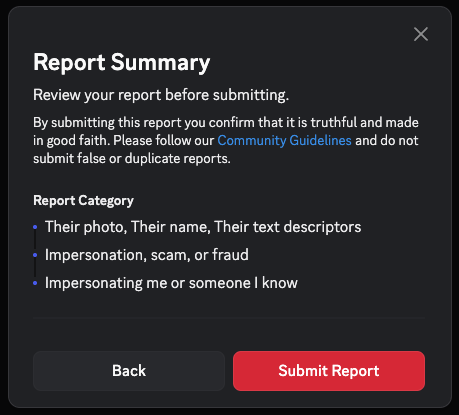
2. **Report the profile**:
* Click the `···` (three dots) on the user’s profile or message
* Select **"Report User Profile"**
* On the next screens, select any relevant details (e.g., fake name, misleading image, scam messages)
3. **Tag a team member in a channel** if the scammer is posting publicly — we’ll remove the post and ban the user quickly.
### Example: Spotting a Scam
Let’s break down a real-world scam attempt and how to identify it quickly.
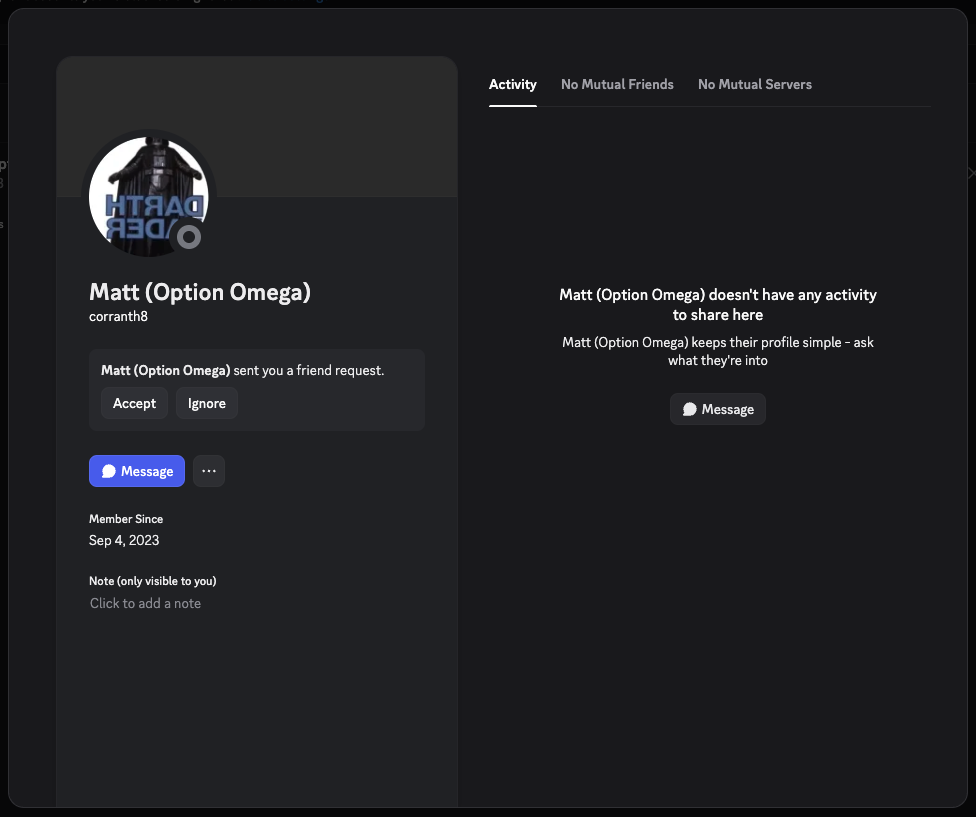
You receive a friend request from someone claiming to be **Matt (Option Omega)**.
At first glance, it may seem legitimate — but upon closer inspection, there are several red flags:
**1. “No Mutual Servers”**\
If you don’t share the Option Omega Discord server with the user, that’s a clear sign something’s wrong. Legitimate team members will always share the server with you.
**2. Account age: “Member Since 2023”**\
Option Omega was founded in 2021 — if someone claiming to be a long-standing team member has a fresh account, that’s suspicious.
**3. Username mismatch**\
In this example, the name shown is `corranth8`. This *looks* similar to Matt’s real username but may be spoofed. To verify a real team member, find one of their posts in a public channel and click their name directly from the message.
> ✅ **Pro tip:** Always check usernames by clicking through from an actual message inside the server. Don’t trust DMs that show up out of nowhere.
#### What to Do Next
If you’ve confirmed the account is a scammer:
1. **Do not accept or engage.**
2. Click the `···` (three dots) next to the message or on the user’s profile.
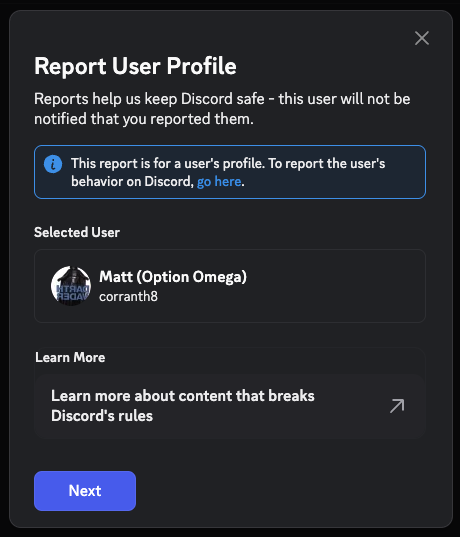
3. Select **"Report User Profile"**
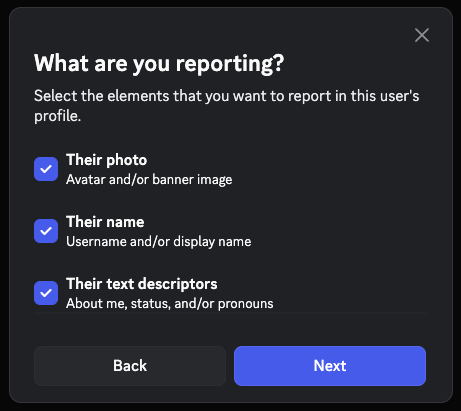
**Select everything you are reporting:**
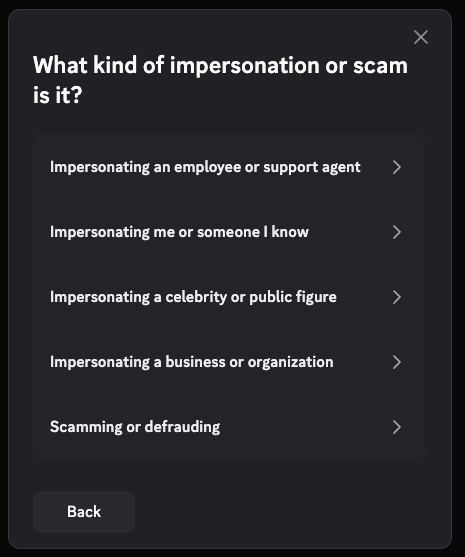
**Select "Impersonating me or someone I know"**
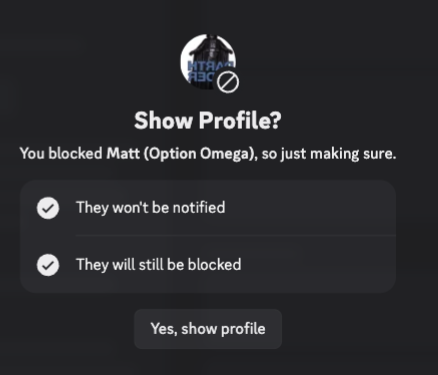
**Submit the report, then block the user:**
**You will see a confirmation that the report was submitted:**
**Thank you for helping clean up Discord!**
### Scam Awareness Q\&A
#### **Q: What if I accidentally block someone legitimate?**
No worries — go to your **User Settings > Privacy & Safety > Blocked Users** to view and unblock anyone you've blocked by mistake. It’s easy to reverse, and no harm is done.
#### **Q: What is the difference between "Ignoring" and "Blocking" a user?**
{% hint style="info" %}
For further reading on user ignore & blocking features see Discord's docs:
{% endhint %}